Tingpai LabMahjong hand-reading practice · A Loophly product

Turn every discard into a decision you can explain.

Read the full hand, commit to a discard, then compare the best, second, and third candidates side by side. Tingpai Lab turns a fleeting table decision into a hand-reading exercise you can examine and repeat.

Open in your browser · Sign in with Google

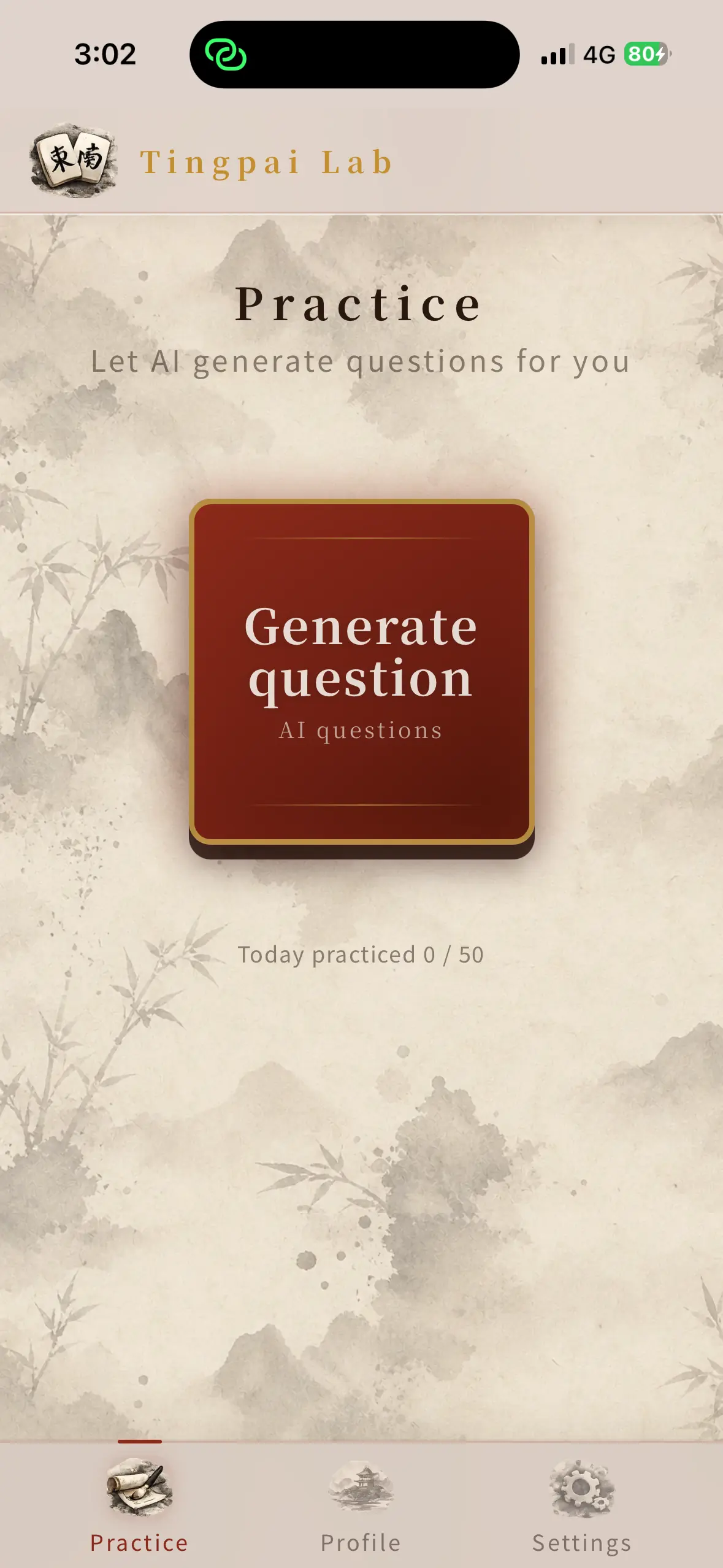
Tingpai Lab English home screen with the generate question button
Break down today’s table, one hand at a time.

One question. One complete decision loop.

Practice does not end when the answer appears. Each question keeps the comparison you need to take back to the table.

Choose

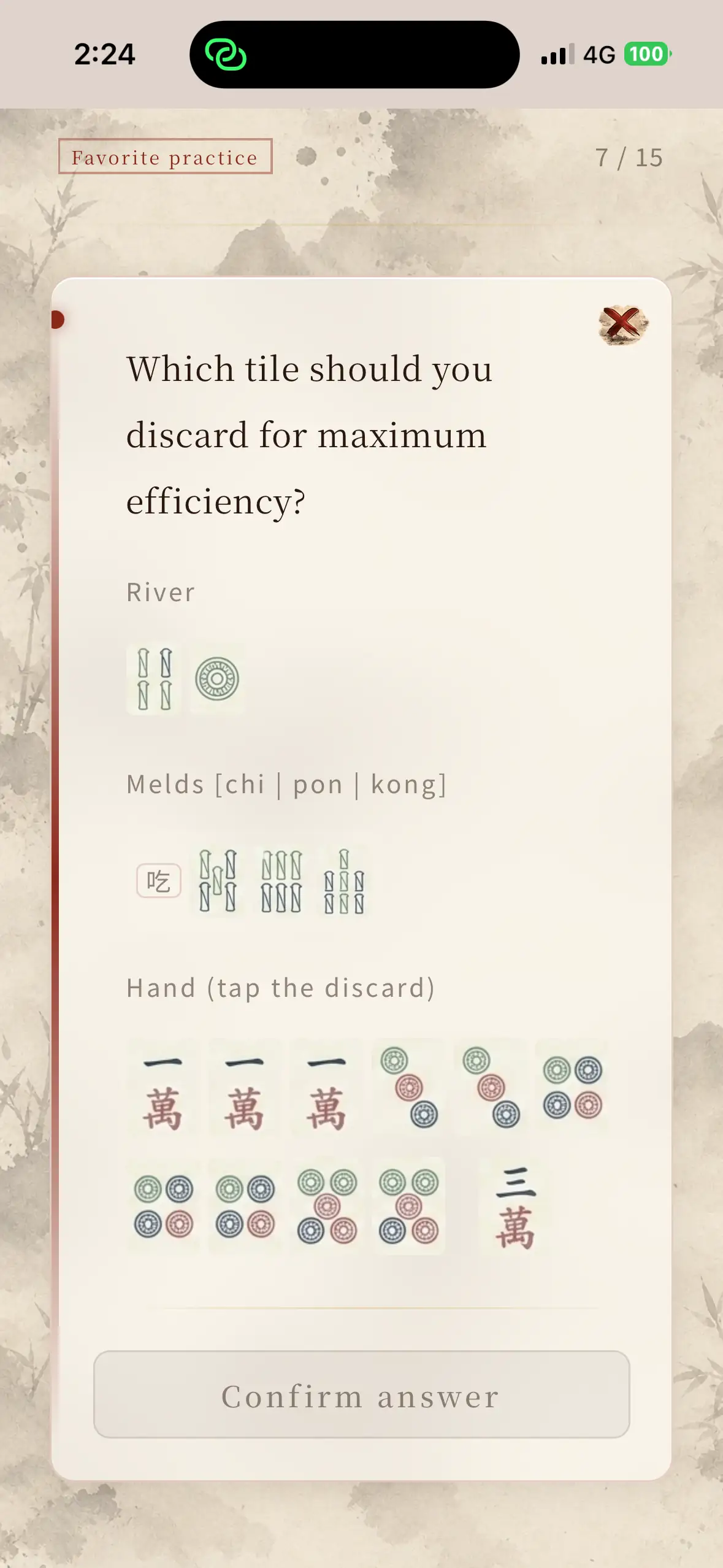
Read the full hand and make your own call

Use the discards, open sets, and tiles in hand to decide what goes. Committing first reveals exactly where your instinct was sound—and what it missed.
Tingpai Lab question screen showing the discards, open sets, and selectable hand
01
Compare

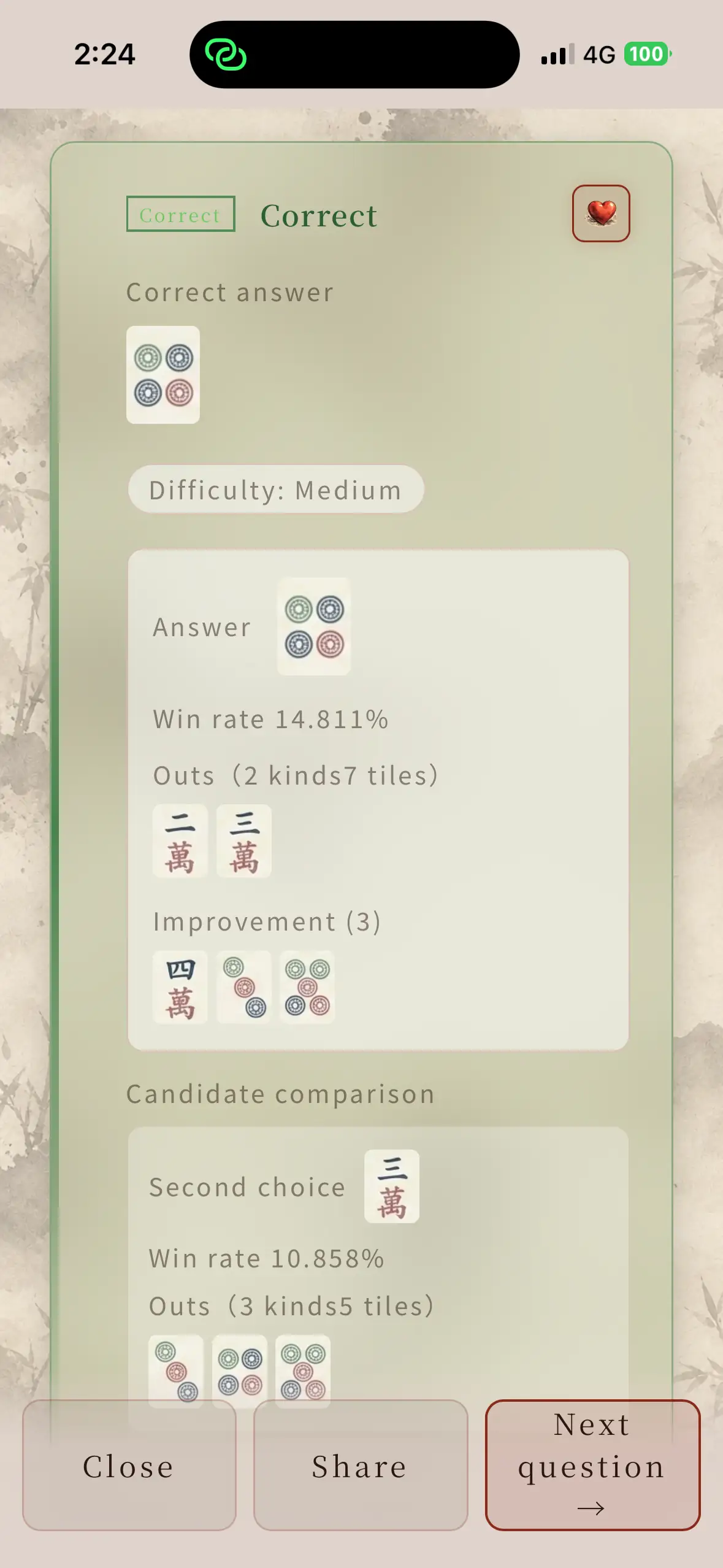
Best and second-best differ by more than a verdict

After answering, compare effective draws, tiles left, improvements, and estimated self-draw win rate across the leading candidates.

Tingpai Lab result screen with the best answer, effective draws, improvements, and candidate comparison
02
Understand

Connect this hand to a pattern you can reuse

Concepts such as five-tile runs, edge four-tile shapes, and overloaded blocks appear with the hand, so the next similar shape becomes easier to recognize.

Tingpai Lab concept explanation showing several hand patterns related to the question
03
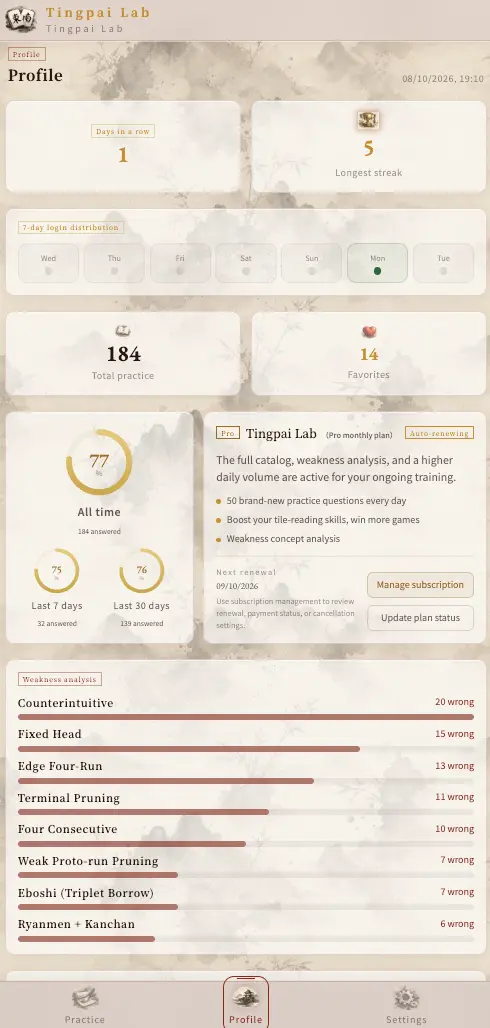
Tingpai Lab profile showing practice history, accuracy, plan information, and weakness analysis
Tingpai Lab recent accuracy analysis
Recent accuracy
Tingpai Lab concept weaknesses organized by incorrect answers
Concept weaknesses
Tingpai Lab saved-question count
Saved review

Every practice session leaves useful evidence.

Your profile brings practice days, recent accuracy, saved questions, and recurring concept errors onto one study surface. See where your reading breaks down, then practice saved hands again.

Study tile efficiency in the language you think in.

Use the full interface in Traditional Chinese, Simplified Chinese, Japanese, or English. Settings also let you switch between 13-tile and 16-tile Mahjong and adjust text size.

Tingpai Lab Traditional Chinese home screen
繁體中文
Tingpai Lab Simplified Chinese home screen
简体中文
Tingpai Lab Japanese home screen
日本語
Tingpai Lab English home screen
English

Try the selected questions free. Decide later how deep to train.

Sign in with Google to begin. Free access includes the complete answer and explanation flow. When you want more volume, the full question bank, and personal analysis, review the advanced options inside the product.

  • Selected free questions
  • 13 / 16-tile modes
  • Four interface languages
  • Save and share